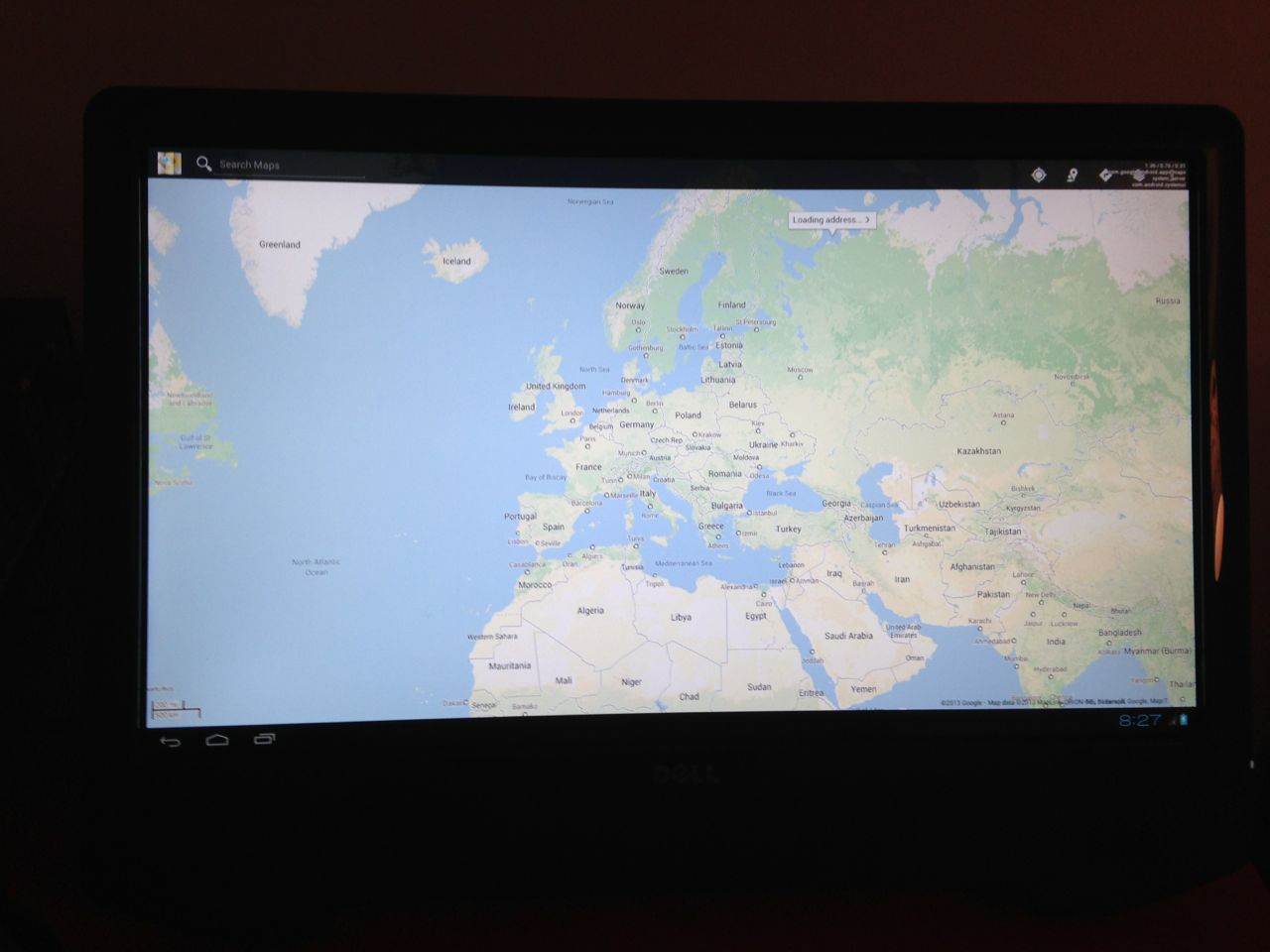
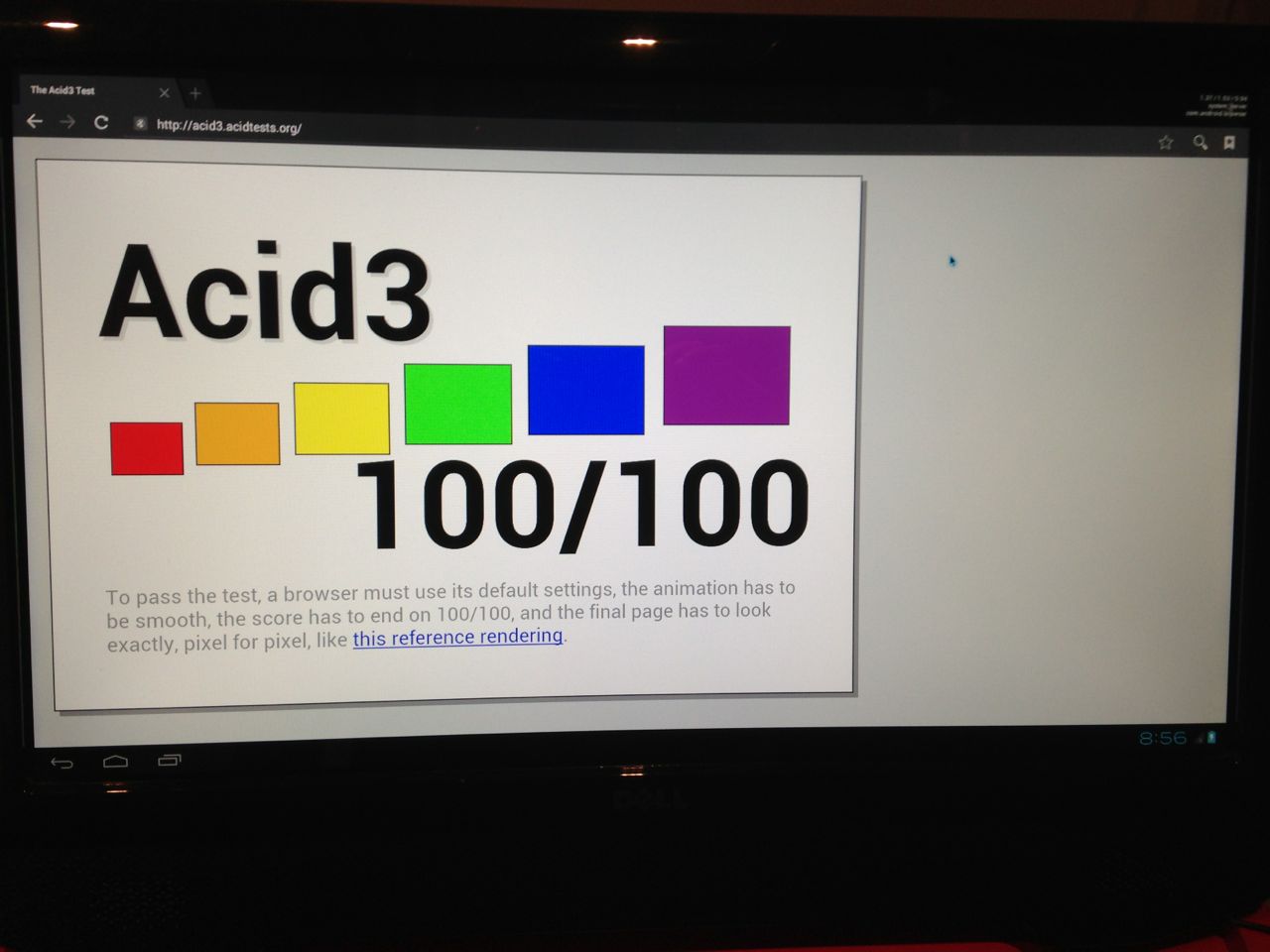
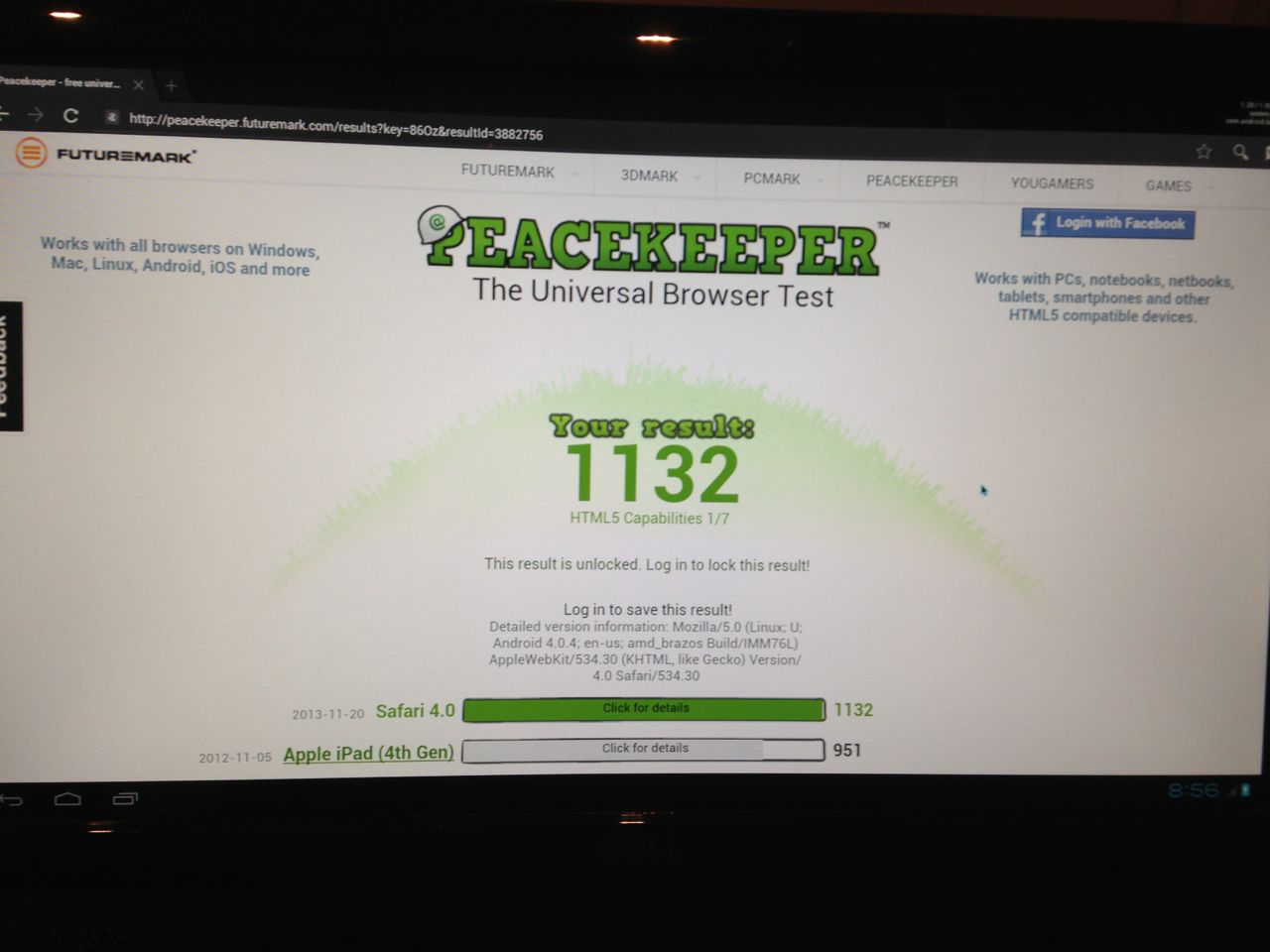
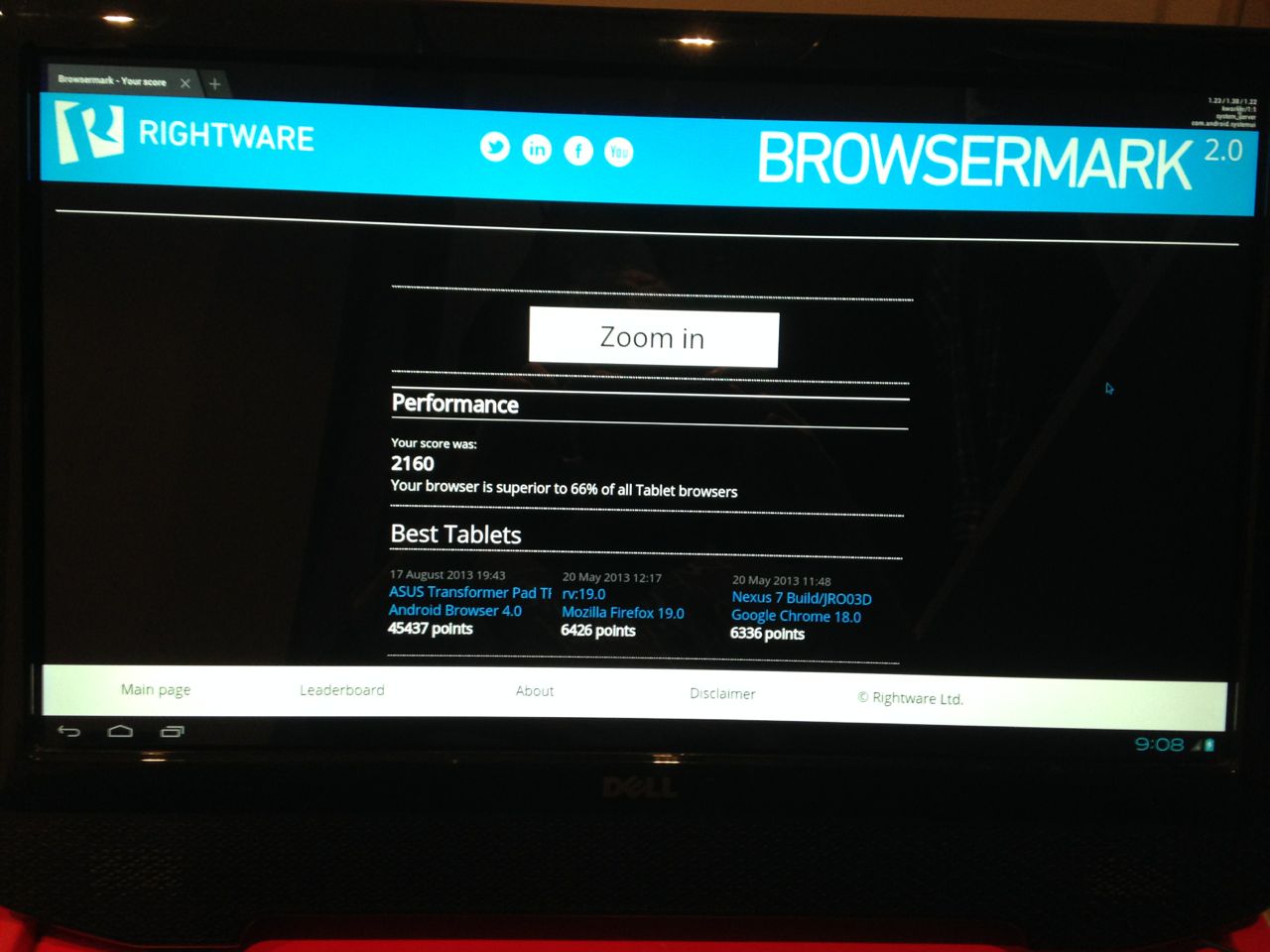
<?xml version="1.0" encoding="utf-8"?>
<feed xmlns="http://www.w3.org/2005/Atom">
  <title>Artem Abashev</title>
  
  
  <link href="https://abashev.com/atom.xml" rel="self"/>
  
  <link href="https://abashev.com/"/>
  <updated>2024-01-21T13:18:45.305Z</updated>
  <id>https://abashev.com/</id>
  
  <author>
    <name>Artem Abashev</name>
    
  </author>
  
  <generator uri="https://hexo.io/">Hexo</generator>
  
  <entry>
    <title>Machine to Machine Communication of AI Agents in AWS Bedrock</title>
    <link href="https://abashev.com/machine-to-machine-communication-of-ai-agents-in-aws-bedrock/"/>
    <id>https://abashev.com/machine-to-machine-communication-of-ai-agents-in-aws-bedrock/</id>
    <published>2024-01-20T00:00:00.000Z</published>
    <updated>2024-01-21T13:18:45.305Z</updated>
    
    
    <summary type="html">Building complex AI-powered applications often requires that the system has to parse and process an output of an AI. Previously, Amazon Bedrock developers had to instruct the AI to print JSON or XML as the response in their model prompts, which was error-prone and often contained hallucinations. With the introduction of Bedrock Agents, developers can define schemas in the OpenAPI format and instruct their AI to use external APIs to retrieve the required data or to perform the requested operations.</summary>


  </entry>
  
  <entry>
    <title>Multi-Tenant GPU-Accelerated AWS Applications</title>
    <link href="https://abashev.com/multitenant-gpu-accelerated-aws-applications/"/>
    <id>https://abashev.com/multitenant-gpu-accelerated-aws-applications/</id>
    <published>2022-03-27T00:00:00.000Z</published>
    <updated>2024-01-21T13:18:45.305Z</updated>
    
    
    <summary type="html">The first generation of GPU instances was introduced by AWS back in 2010. The industry has changed dramatically since then and nowadays server-side GPUs are widely used for a broad range of tasks - from machine learning to media processing. In this article we&#39;re going to build a server that can securely run graphical applications in isolated environments and leverage on the power of modern GPUs.</summary>


  </entry>
  
  <entry>
    <title>Automated Predictions with Machine Learning on AWS</title>
    <link href="https://abashev.com/automated-predictions-with-machine-learning-on-aws/"/>
    <id>https://abashev.com/automated-predictions-with-machine-learning-on-aws/</id>
    <published>2022-03-02T00:00:00.000Z</published>
    <updated>2024-01-21T13:18:45.305Z</updated>
    
    
    <summary type="html">Building and operating a machine learning system is a process that consists of many components and involves multiple specialists with various skill sets. The iterative nature and constant evolution of such systems amplifies the complexity to the point that it could become challenging to handle it even for a large and experienced team. Luckily, with the right tools at hands, it is possible to streamline this journey. Let’s take a look on how such pipeline could be built from the ground up.</summary>


  </entry>
  
  <entry>
    <title>How to Build a Real-time Facial Recognition Service</title>
    <link href="https://abashev.com/how-to-build-a-real-time-facial-recognition-service/"/>
    <id>https://abashev.com/how-to-build-a-real-time-facial-recognition-service/</id>
    <published>2022-02-03T00:00:00.000Z</published>
    <updated>2024-01-21T13:18:45.305Z</updated>
    
    
    <summary type="html">Computer vision in general and facial recognition in particular are rapidly growing fields of computer science that can be beneficial in or even revolutionize some areas, such as transportation or retail. In this article we&#39;re going to look closely at how such system could be built.</summary>


  </entry>
  
  <entry>
    <title>AWS Lambda ARM64 vs x64 Benchmarks</title>
    <link href="https://abashev.com/aws-lambda-arm64-vs-x64-benchmarks/"/>
    <id>https://abashev.com/aws-lambda-arm64-vs-x64-benchmarks/</id>
    <published>2021-12-24T00:00:00.000Z</published>
    <updated>2024-01-21T13:18:45.305Z</updated>
    
    
    <summary type="html">Amazon has recently released ARM64 support for Lambda based on Graviton2 processors. They claim that the new architecture provides better price performance. Let&#39;s take a look how it stands up against the classic x64 CPU in some real-world scenarios.</summary>


  </entry>
  
  <entry>
    <title>Production AWS Lambda Performance Checklist</title>
    <link href="https://abashev.com/production-aws-lambda-performance-checklist/"/>
    <id>https://abashev.com/production-aws-lambda-performance-checklist/</id>
    <published>2021-11-12T00:00:00.000Z</published>
    <updated>2024-01-21T13:18:45.305Z</updated>
    
    
    <summary type="html">AWS Lambda is a mature, feature-rich computing platform. While it&#39;s very straightforward and simple to use for backend developers, when it comes to the performance tuning, there are a few things to keep in mind.</summary>


  </entry>
  
  <entry>
    <title>Authentication of SocketCluster connections with Passport.js</title>
    <link href="https://abashev.com/authentication-of-socketcluster-connections-with-passport-js/"/>
    <id>https://abashev.com/authentication-of-socketcluster-connections-with-passport-js/</id>
    <published>2015-01-03T00:00:00.000Z</published>
    <updated>2024-01-21T13:18:45.305Z</updated>
    
    <content type="html"><![CDATA[<p><a href="https://github.com/artema/passport.socketcluster">Passport.SocketCluster</a> is a SocketCluster middleware that can be used to authenticate socket connections with <a href="http://passportjs.org/">Passport.js</a>.</p><span id="more"></span><h2 id="Installation"><a href="#Installation" class="headerlink" title="Installation"></a>Installation</h2><pre><code>npm install passport.socketcluster</code></pre><h2 id="How-it-works"><a href="#How-it-works" class="headerlink" title="How it works"></a>How it works</h2><p>It plugs into the socket handshake process and parses your Express session cookie associated with the request. If the authentication was successful, you will receive a Passport user object that you can store in a SocketCluster socket session or any other store for later use.</p><h2 id="Usage"><a href="#Usage" class="headerlink" title="Usage"></a>Usage</h2><figure class="highlight javascript"><table><tr><td class="gutter"><pre><span class="line">1</span><br><span class="line">2</span><br><span class="line">3</span><br><span class="line">4</span><br><span class="line">5</span><br><span class="line">6</span><br><span class="line">7</span><br><span class="line">8</span><br><span class="line">9</span><br><span class="line">10</span><br><span class="line">11</span><br><span class="line">12</span><br><span class="line">13</span><br><span class="line">14</span><br><span class="line">15</span><br><span class="line">16</span><br><span class="line">17</span><br><span class="line">18</span><br><span class="line">19</span><br><span class="line">20</span><br><span class="line">21</span><br><span class="line">22</span><br><span class="line">23</span><br><span class="line">24</span><br><span class="line">25</span><br><span class="line">26</span><br><span class="line">27</span><br><span class="line">28</span><br><span class="line">29</span><br><span class="line">30</span><br><span class="line">31</span><br><span class="line">32</span><br><span class="line">33</span><br><span class="line">34</span><br><span class="line">35</span><br><span class="line">36</span><br><span class="line">37</span><br><span class="line">38</span><br><span class="line">39</span><br><span class="line">40</span><br><span class="line">41</span><br><span class="line">42</span><br><span class="line">43</span><br><span class="line">44</span><br><span class="line">45</span><br><span class="line">46</span><br><span class="line">47</span><br><span class="line">48</span><br><span class="line">49</span><br><span class="line">50</span><br><span class="line">51</span><br><span class="line">52</span><br></pre></td><td class="code"><pre><span class="line"><span class="comment">//worker.js</span></span><br><span class="line"></span><br><span class="line"><span class="keyword">var</span> session = <span class="built_in">require</span>(<span class="string">&#x27;express-session&#x27;</span>),</span><br><span class="line">    express = <span class="built_in">require</span>(<span class="string">&#x27;express&#x27;</span>),</span><br><span class="line">    cookieParser = <span class="built_in">require</span>(<span class="string">&#x27;cookie-parser&#x27;</span>),</span><br><span class="line">    passport = <span class="built_in">require</span>(<span class="string">&#x27;passport&#x27;</span>),</span><br><span class="line">    passportSocketCluster = <span class="built_in">require</span>(<span class="string">&#x27;passport.socketcluster&#x27;</span>),</span><br><span class="line">    RedisStore = <span class="built_in">require</span>(<span class="string">&#x27;connect-redis&#x27;</span>)(session);</span><br><span class="line"></span><br><span class="line"><span class="built_in">module</span>.exports.run = <span class="function"><span class="keyword">function</span>(<span class="params">worker</span>) </span>&#123;</span><br><span class="line">  <span class="keyword">var</span> app = express(),</span><br><span class="line">      store = <span class="keyword">new</span> RedisStore(),</span><br><span class="line">      cookieKey = <span class="string">&#x27;session&#x27;</span>,</span><br><span class="line">      cookieSecret = <span class="string">&#x27;keyboard cat&#x27;</span>;</span><br><span class="line"></span><br><span class="line">  <span class="keyword">var</span> server = worker.getHTTPServer(),</span><br><span class="line">      sc = worker.getSCServer();</span><br><span class="line"></span><br><span class="line">  server.on(<span class="string">&#x27;req&#x27;</span>, app);</span><br><span class="line"></span><br><span class="line">  app.use(session(&#123;</span><br><span class="line">    <span class="attr">name</span>:     cookieKey,</span><br><span class="line">    <span class="attr">secret</span>:   cookieSecret,</span><br><span class="line">    <span class="attr">store</span>:    store</span><br><span class="line">  &#125;));</span><br><span class="line"></span><br><span class="line">  app.use(passport.initialize());</span><br><span class="line">  app.use(passport.session());</span><br><span class="line"></span><br><span class="line">  <span class="comment">//Handshake authentication</span></span><br><span class="line">  sc.addMiddleware(sc.MIDDLEWARE_HANDSHAKE, passportSocketCluster.handshake(&#123;</span><br><span class="line">    <span class="attr">cookieParser</span>:cookieParser, <span class="comment">//Cookie parser</span></span><br><span class="line">    <span class="attr">key</span>:         cookieKey, <span class="comment">//Express session cookie name</span></span><br><span class="line">    <span class="attr">secret</span>:      cookieSecret, <span class="comment">//Express session cookie secret</span></span><br><span class="line">    <span class="attr">store</span>:       store, <span class="comment">//User store</span></span><br><span class="line">    <span class="attr">passport</span>:    passport, <span class="comment">//Passport reference</span></span><br><span class="line">    <span class="comment">//Callback function. You will get an `err` in case</span></span><br><span class="line">    <span class="comment">//of user authentication failure or a `user` object</span></span><br><span class="line">    <span class="comment">//if a user was authenticated.</span></span><br><span class="line">    <span class="comment">//`next` is a callback function that</span></span><br><span class="line">    <span class="comment">//should be called both in case of failure</span></span><br><span class="line">    <span class="comment">//and success. You should pass and error or</span></span><br><span class="line">    <span class="comment">//no argument in case of sucessfull authentication</span></span><br><span class="line">    <span class="attr">callback</span>: <span class="function"><span class="keyword">function</span>(<span class="params">err, req, user, next</span>) </span>&#123;</span><br><span class="line">      <span class="keyword">if</span> (err) &#123;</span><br><span class="line">        <span class="keyword">return</span> next(err);</span><br><span class="line">      &#125;</span><br><span class="line">      <span class="comment">//Save Passport user in the session store for later use</span></span><br><span class="line">      req.session.set(<span class="string">&#x27;user&#x27;</span>, user, next);</span><br><span class="line">    &#125;</span><br><span class="line">  &#125;));</span><br><span class="line">&#125;;</span><br></pre></td></tr></table></figure><p>You can later retrieve a user object in your socket server code this way:</p><figure class="highlight javascript"><table><tr><td class="gutter"><pre><span class="line">1</span><br><span class="line">2</span><br><span class="line">3</span><br><span class="line">4</span><br><span class="line">5</span><br><span class="line">6</span><br><span class="line">7</span><br><span class="line">8</span><br><span class="line">9</span><br><span class="line">10</span><br><span class="line">11</span><br><span class="line">12</span><br><span class="line">13</span><br><span class="line">14</span><br><span class="line">15</span><br></pre></td><td class="code"><pre><span class="line"><span class="built_in">module</span>.exports = <span class="function"><span class="keyword">function</span>(<span class="params">worker</span>) </span>&#123;</span><br><span class="line">  <span class="keyword">var</span> sc = worker.getSCServer();</span><br><span class="line"></span><br><span class="line">  sc.on(<span class="string">&#x27;connection&#x27;</span>, <span class="function"><span class="keyword">function</span>(<span class="params">socket</span>) </span>&#123;</span><br><span class="line">    <span class="keyword">var</span> user;</span><br><span class="line">    socket.session.get(<span class="string">&#x27;user&#x27;</span>, <span class="function"><span class="keyword">function</span>(<span class="params">err, value</span>) </span>&#123;</span><br><span class="line">      user = value;</span><br><span class="line">      <span class="built_in">console</span>.log(<span class="string">&#x27;User connected: &#x27;</span> + user);</span><br><span class="line">    &#125;);</span><br><span class="line"></span><br><span class="line">    socket.on(<span class="string">&#x27;disconnect&#x27;</span>, <span class="function"><span class="keyword">function</span>(<span class="params"></span>) </span>&#123;</span><br><span class="line">      <span class="built_in">console</span>.log(<span class="string">&#x27;User disconnected: &#x27;</span> + user);</span><br><span class="line">    &#125;);</span><br><span class="line">  &#125;);</span><br><span class="line">&#125;;</span><br></pre></td></tr></table></figure>]]></content>
    
    
    <summary type="html">&lt;p&gt;&lt;a href=&quot;https://github.com/artema/passport.socketcluster&quot;&gt;Passport.SocketCluster&lt;/a&gt; is a SocketCluster middleware that can be used to authenticate socket connections with &lt;a href=&quot;http://passportjs.org/&quot;&gt;Passport.js&lt;/a&gt;.&lt;/p&gt;</summary>


  </entry>
  
  <entry>
    <title>OAuth2 Refresh Tokens in Passport.js</title>
    <link href="https://abashev.com/oauth2-refresh-tokens-in-passport-js/"/>
    <id>https://abashev.com/oauth2-refresh-tokens-in-passport-js/</id>
    <published>2015-01-01T00:00:00.000Z</published>
    <updated>2024-01-21T13:18:45.305Z</updated>
    
    <content type="html"><![CDATA[<p>When using OAuth2 on the server, chances are that you will have to renew your access tokens with the OAuth2 refresh tokens workflow. <strong>Passport.js</strong> has several authentication strategies that handle OAuth2 authentication, but refreshing access tokens is something that you still need to do yourself manually (e.g. using <a href="https://github.com/fiznool/passport-oauth2-refresh">passport-oauth2-refresh strategy</a> with a CRON job). <a href="https://github.com/artema/passport-oauth2-middleware">passport-oauth2-middleware</a> automates this process and can fetch a new access token on request when an old one is about to expire.</p><span id="more"></span><h2 id="Setup"><a href="#Setup" class="headerlink" title="Setup"></a>Setup</h2><pre><code>npm install passport-oauth2-middleware</code></pre><p>Consider the following example:</p><figure class="highlight javascript"><table><tr><td class="gutter"><pre><span class="line">1</span><br><span class="line">2</span><br><span class="line">3</span><br><span class="line">4</span><br><span class="line">5</span><br><span class="line">6</span><br><span class="line">7</span><br><span class="line">8</span><br><span class="line">9</span><br><span class="line">10</span><br><span class="line">11</span><br><span class="line">12</span><br><span class="line">13</span><br><span class="line">14</span><br><span class="line">15</span><br><span class="line">16</span><br><span class="line">17</span><br><span class="line">18</span><br><span class="line">19</span><br><span class="line">20</span><br><span class="line">21</span><br><span class="line">22</span><br><span class="line">23</span><br><span class="line">24</span><br><span class="line">25</span><br><span class="line">26</span><br><span class="line">27</span><br><span class="line">28</span><br><span class="line">29</span><br><span class="line">30</span><br><span class="line">31</span><br></pre></td><td class="code"><pre><span class="line"><span class="keyword">var</span> OAuth2Strategy = <span class="built_in">require</span>(<span class="string">&#x27;passport-oauth2&#x27;</span>),</span><br><span class="line">OAuth2RefreshTokenStrategy = <span class="built_in">require</span>(<span class="string">&#x27;passport-oauth2-middleware&#x27;</span>).Strategy,</span><br><span class="line">passport = <span class="built_in">require</span>(<span class="string">&#x27;passport&#x27;</span>);</span><br><span class="line"></span><br><span class="line"><span class="built_in">module</span>.exports = <span class="function"><span class="keyword">function</span>(<span class="params"></span>) </span>&#123;</span><br><span class="line">  <span class="keyword">var</span> refreshStrategy = <span class="keyword">new</span> OAuth2RefreshTokenStrategy(&#123;</span><br><span class="line">    <span class="attr">refreshWindow</span>: <span class="number">10</span>, <span class="comment">// Time in seconds to perform a token refresh before it expires</span></span><br><span class="line">    <span class="attr">userProperty</span>: <span class="string">&#x27;ticket&#x27;</span>, <span class="comment">// Active user property name to store OAuth tokens</span></span><br><span class="line">    <span class="attr">authenticationURL</span>: <span class="string">&#x27;/login&#x27;</span>, <span class="comment">// URL to redirect unathorized users to</span></span><br><span class="line">    <span class="attr">callbackParameter</span>: <span class="string">&#x27;callback&#x27;</span> <span class="comment">//URL query parameter name to pass a return URL</span></span><br><span class="line">  &#125;);</span><br><span class="line"></span><br><span class="line">  passport.use(<span class="string">&#x27;main&#x27;</span>, refreshStrategy);  <span class="comment">//Main authorization strategy that authenticates</span></span><br><span class="line">                                          <span class="comment">//user with OAuth access token</span></span><br><span class="line">                                          <span class="comment">//and performs a token refresh if needed</span></span><br><span class="line"></span><br><span class="line">  <span class="keyword">var</span> oauthStartegy = <span class="keyword">new</span> OAuth2Strategy(&#123;</span><br><span class="line">    <span class="attr">authorizationURL</span>: <span class="string">&#x27;https://authserver/oauth2/auth&#x27;</span>,</span><br><span class="line">    <span class="attr">tokenURL</span>: <span class="string">&#x27;https://authserver/oauth2/token&#x27;</span>,</span><br><span class="line">    <span class="attr">clientID</span>: <span class="string">&#x27;clientID&#x27;</span>,</span><br><span class="line">    <span class="attr">clientSecret</span>: <span class="string">&#x27;clientSecret&#x27;</span>,</span><br><span class="line">    <span class="attr">callbackURL</span>: <span class="string">&#x27;/oauth/callback&#x27;</span>,</span><br><span class="line">    <span class="attr">passReqToCallback</span>: <span class="literal">false</span> <span class="comment">//Must be omitted or set to false in order to work with OAuth2RefreshTokenStrategy</span></span><br><span class="line">  &#125;,</span><br><span class="line">    refreshStrategy.getOAuth2StrategyCallback() <span class="comment">//Create a callback for OAuth2Strategy</span></span><br><span class="line">  );</span><br><span class="line"></span><br><span class="line">  passport.use(<span class="string">&#x27;oauth&#x27;</span>, oauthStartegy); <span class="comment">//Strategy to perform regular OAuth2 code grant workflow</span></span><br><span class="line">  refreshStrategy.useOAuth2Strategy(oauthStartegy); <span class="comment">//Register the OAuth strategy</span></span><br><span class="line">                                                    <span class="comment">//to perform OAuth2 refresh token workflow</span></span><br><span class="line">&#125;;</span><br></pre></td></tr></table></figure><p><code>passport-oauth2-middleware</code> can be used alongside with <code>passport-oauth2</code> strategy. When a request comes in and the <code>main</code> strategy is used, <code>OAuth2RefreshTokenStrategy</code> will check if the active access token is still valid and will try to renew it with an access token if needed. This process is transparent for the <code>OAuth2Strategy</code> and doesn’t require any changes to your code. Access/refresh token pair will then be stored in the <strong>Passport.js</strong> user session. You can choose to refresh access tokens before they expire by settings the <code>refreshWindow</code> option that indicates number of seconds before a token should be refreshed prior to expiration.</p><p>Your <strong>Express</strong> controllers would look something like this:</p><figure class="highlight javascript"><table><tr><td class="gutter"><pre><span class="line">1</span><br><span class="line">2</span><br><span class="line">3</span><br><span class="line">4</span><br><span class="line">5</span><br><span class="line">6</span><br><span class="line">7</span><br><span class="line">8</span><br><span class="line">9</span><br><span class="line">10</span><br><span class="line">11</span><br><span class="line">12</span><br><span class="line">13</span><br><span class="line">14</span><br><span class="line">15</span><br><span class="line">16</span><br><span class="line">17</span><br><span class="line">18</span><br><span class="line">19</span><br><span class="line">20</span><br><span class="line">21</span><br></pre></td><td class="code"><pre><span class="line"><span class="comment">//GET /oauth</span></span><br><span class="line">app.get(<span class="string">&#x27;/oauth&#x27;</span>, passport.authenticate(<span class="string">&#x27;oauth&#x27;</span>));</span><br><span class="line"></span><br><span class="line"><span class="comment">//GET /oauth/callback</span></span><br><span class="line">app.get(<span class="string">&#x27;/oauth/callback&#x27;</span>, passport.authenticate(<span class="string">&#x27;oauth&#x27;</span>), <span class="function"><span class="keyword">function</span>(<span class="params">req, res</span>) </span>&#123;</span><br><span class="line">  res.redirect(<span class="string">&#x27;/profile&#x27;</span>);</span><br><span class="line">&#125;);</span><br><span class="line"></span><br><span class="line"><span class="comment">//GET /profile</span></span><br><span class="line">app.get(<span class="string">&#x27;/profile&#x27;</span>,</span><br><span class="line">passport.authenticate(<span class="string">&#x27;main&#x27;</span>), <span class="function"><span class="keyword">function</span>(<span class="params">req, res</span>) </span>&#123;</span><br><span class="line"> res.render(<span class="string">&#x27;profile_page&#x27;</span>);</span><br><span class="line">&#125;);</span><br><span class="line"></span><br><span class="line"><span class="comment">//GET /api/data</span></span><br><span class="line">app.get(<span class="string">&#x27;/api/data&#x27;</span>,</span><br><span class="line">passport.authenticate(<span class="string">&#x27;main&#x27;</span>, &#123;</span><br><span class="line">  <span class="attr">noredirect</span>: <span class="literal">true</span> <span class="comment">//Don&#x27;t redirect a user to the authentication page, just show an error</span></span><br><span class="line">&#125;), <span class="function"><span class="keyword">function</span>(<span class="params">req, res</span>) </span>&#123;</span><br><span class="line">  res.render(<span class="string">&#x27;profile_page&#x27;</span>);</span><br><span class="line">&#125;);</span><br></pre></td></tr></table></figure><h2 id="OAuth2-password-grant-workflow"><a href="#OAuth2-password-grant-workflow" class="headerlink" title="OAuth2 password grant workflow"></a>OAuth2 password grant workflow</h2><p>Another <strong>Passport.js</strong> OAuth workflow that <a href="https://github.com/artema/passport-oauth2-middleware">passport-oauth2-middleware</a> <code>OAuth2RefreshTokenStrategy </code> provides is OAuth2 password grant workflow. It can be used in conjunction with <a href="https://github.com/jaredhanson/passport-local">passport-local</a>‘s <code>LocalStrategy</code> to perform username/password authentication against an OAuth2 provider that supports it.</p><p>The configuration is similar:</p><figure class="highlight javascript"><table><tr><td class="gutter"><pre><span class="line">1</span><br><span class="line">2</span><br><span class="line">3</span><br><span class="line">4</span><br><span class="line">5</span><br><span class="line">6</span><br><span class="line">7</span><br><span class="line">8</span><br><span class="line">9</span><br><span class="line">10</span><br><span class="line">11</span><br><span class="line">12</span><br><span class="line">13</span><br><span class="line">14</span><br><span class="line">15</span><br><span class="line">16</span><br><span class="line">17</span><br><span class="line">18</span><br><span class="line">19</span><br><span class="line">20</span><br><span class="line">21</span><br><span class="line">22</span><br><span class="line">23</span><br><span class="line">24</span><br><span class="line">25</span><br><span class="line">26</span><br><span class="line">27</span><br><span class="line">28</span><br><span class="line">29</span><br><span class="line">30</span><br><span class="line">31</span><br><span class="line">32</span><br><span class="line">33</span><br><span class="line">34</span><br><span class="line">35</span><br><span class="line">36</span><br><span class="line">37</span><br><span class="line">38</span><br><span class="line">39</span><br></pre></td><td class="code"><pre><span class="line"><span class="keyword">var</span> OAuth2Strategy = <span class="built_in">require</span>(<span class="string">&#x27;passport-oauth2&#x27;</span>),</span><br><span class="line">    LocalStrategy = <span class="built_in">require</span>(<span class="string">&#x27;passport-local&#x27;</span>).Strategy,</span><br><span class="line">    OAuth2RefreshTokenStrategy = <span class="built_in">require</span>(<span class="string">&#x27;passport-oauth2-middleware&#x27;</span>).Strategy,</span><br><span class="line">    passport = <span class="built_in">require</span>(<span class="string">&#x27;passport&#x27;</span>);</span><br><span class="line"></span><br><span class="line"><span class="built_in">module</span>.exports = <span class="function"><span class="keyword">function</span>(<span class="params">app</span>) </span>&#123;</span><br><span class="line">  <span class="keyword">var</span> refreshStrategy = <span class="keyword">new</span> OAuth2RefreshTokenStrategy(&#123;</span><br><span class="line">    <span class="attr">refreshWindow</span>: <span class="number">10</span>,</span><br><span class="line">    <span class="attr">userProperty</span>: <span class="string">&#x27;ticket&#x27;</span>,</span><br><span class="line">    <span class="attr">authenticationURL</span>: <span class="string">&#x27;/login&#x27;</span>,</span><br><span class="line">    <span class="attr">callbackParameter</span>: <span class="string">&#x27;callback&#x27;</span></span><br><span class="line">  &#125;);</span><br><span class="line"></span><br><span class="line">  passport.use(<span class="string">&#x27;main&#x27;</span>, refreshStrategy);</span><br><span class="line"></span><br><span class="line">  <span class="keyword">var</span> oauthStartegy = <span class="keyword">new</span> OAuth2Strategy(&#123;</span><br><span class="line">    <span class="attr">authorizationURL</span>: <span class="string">&#x27;https://authserver/oauth2/auth&#x27;</span>,</span><br><span class="line">    <span class="attr">tokenURL</span>: <span class="string">&#x27;https://authserver/oauth2/token&#x27;</span>,</span><br><span class="line">    <span class="attr">clientID</span>: <span class="string">&#x27;clientID&#x27;</span>,</span><br><span class="line">    <span class="attr">clientSecret</span>: <span class="string">&#x27;clientSecret&#x27;</span>,</span><br><span class="line">    <span class="attr">callbackURL</span>: <span class="string">&#x27;/oauth/callback&#x27;</span>,</span><br><span class="line">    <span class="attr">passReqToCallback</span>: <span class="literal">false</span></span><br><span class="line">  &#125;,</span><br><span class="line">    refreshStrategy.getOAuth2StrategyCallback()</span><br><span class="line">  );</span><br><span class="line"></span><br><span class="line">  refreshStrategy.useOAuth2Strategy(oauthStartegy);</span><br><span class="line"></span><br><span class="line">  <span class="keyword">var</span> localStrategy = <span class="keyword">new</span> LocalStrategy(&#123;</span><br><span class="line">    <span class="attr">usernameField</span> : <span class="string">&#x27;username&#x27;</span>,</span><br><span class="line">    <span class="attr">passwordField</span> : <span class="string">&#x27;password&#x27;</span></span><br><span class="line">  &#125;,</span><br><span class="line">    refreshStrategy.getLocalStrategyCallback() <span class="comment">//Create a callback for LocalStrategy</span></span><br><span class="line">  );</span><br><span class="line"></span><br><span class="line">  passport.use(<span class="string">&#x27;local&#x27;</span>, localStrategy); <span class="comment">//Strategy to perform a username/password login</span></span><br><span class="line">  refreshStrategy.useLocalStrategy(localStrategy); <span class="comment">//Register the LocalStrategy</span></span><br><span class="line">                                                   <span class="comment">//to perform an OAuth &#x27;password&#x27; workflow</span></span><br><span class="line">&#125;;</span><br></pre></td></tr></table></figure><p>Controllers:</p><figure class="highlight javascript"><table><tr><td class="gutter"><pre><span class="line">1</span><br><span class="line">2</span><br><span class="line">3</span><br><span class="line">4</span><br><span class="line">5</span><br><span class="line">6</span><br><span class="line">7</span><br><span class="line">8</span><br><span class="line">9</span><br><span class="line">10</span><br><span class="line">11</span><br><span class="line">12</span><br><span class="line">13</span><br><span class="line">14</span><br><span class="line">15</span><br><span class="line">16</span><br><span class="line">17</span><br><span class="line">18</span><br><span class="line">19</span><br><span class="line">20</span><br><span class="line">21</span><br><span class="line">22</span><br><span class="line">23</span><br><span class="line">24</span><br><span class="line">25</span><br><span class="line">26</span><br><span class="line">27</span><br><span class="line">28</span><br><span class="line">29</span><br><span class="line">30</span><br><span class="line">31</span><br><span class="line">32</span><br><span class="line">33</span><br></pre></td><td class="code"><pre><span class="line"><span class="comment">//GET /login</span></span><br><span class="line">app.get(<span class="string">&#x27;/login&#x27;</span>, <span class="function"><span class="keyword">function</span>(<span class="params">req, res</span>)</span>&#123;</span><br><span class="line"> <span class="keyword">var</span> callback = req.query.callback || <span class="string">&#x27;/&#x27;</span>;</span><br><span class="line"></span><br><span class="line"> <span class="keyword">if</span> (req.isAuthenticated()) &#123;</span><br><span class="line">   <span class="keyword">return</span> res.redirect(callback);</span><br><span class="line"> &#125;</span><br><span class="line"></span><br><span class="line"> res.render(<span class="string">&#x27;login_page&#x27;</span>);</span><br><span class="line">&#125;);</span><br><span class="line"></span><br><span class="line"><span class="comment">//POST /login</span></span><br><span class="line">app.post(<span class="string">&#x27;/login&#x27;</span>, <span class="function"><span class="keyword">function</span>(<span class="params">req, res, next</span>) </span>&#123;</span><br><span class="line"> <span class="keyword">var</span> callback = req.query.callback || <span class="string">&#x27;/profile&#x27;</span>;</span><br><span class="line"></span><br><span class="line"> passport.authenticate(<span class="string">&#x27;local&#x27;</span>, <span class="function"><span class="keyword">function</span>(<span class="params">err, user, info</span>) </span>&#123;</span><br><span class="line">   <span class="keyword">if</span> (err || !user) &#123;</span><br><span class="line">     res.render(<span class="string">&#x27;login_page&#x27;</span>, &#123;</span><br><span class="line">       <span class="attr">error</span>: info ? info.message : <span class="string">&#x27;Unable to login.&#x27;</span>,</span><br><span class="line">       <span class="attr">username</span>: req.body.username</span><br><span class="line">     &#125;);</span><br><span class="line">     <span class="keyword">return</span> next();</span><br><span class="line">   &#125;</span><br><span class="line"></span><br><span class="line">   req.logIn(user, <span class="function"><span class="keyword">function</span>(<span class="params">err</span>) </span>&#123;</span><br><span class="line">     <span class="keyword">if</span> (err) &#123;</span><br><span class="line">       <span class="keyword">return</span> next(err);</span><br><span class="line">     &#125;</span><br><span class="line"></span><br><span class="line">     <span class="keyword">return</span> res.redirect(callback);</span><br><span class="line">   &#125;);</span><br><span class="line"> &#125;)(req, res, next);</span><br><span class="line">&#125;);</span><br></pre></td></tr></table></figure><p>Note that you still need to use <code>OAuth2Strategy</code> in order to make OAuth requests to the authentication endpoint.</p>]]></content>
    
    
    <summary type="html">&lt;p&gt;When using OAuth2 on the server, chances are that you will have to renew your access tokens with the OAuth2 refresh tokens workflow. &lt;strong&gt;Passport.js&lt;/strong&gt; has several authentication strategies that handle OAuth2 authentication, but refreshing access tokens is something that you still need to do yourself manually (e.g. using &lt;a href=&quot;https://github.com/fiznool/passport-oauth2-refresh&quot;&gt;passport-oauth2-refresh strategy&lt;/a&gt; with a CRON job). &lt;a href=&quot;https://github.com/artema/passport-oauth2-middleware&quot;&gt;passport-oauth2-middleware&lt;/a&gt; automates this process and can fetch a new access token on request when an old one is about to expire.&lt;/p&gt;</summary>


  </entry>
  
  <entry>
    <title>OAuth 1 Reverse proxy</title>
    <link href="https://abashev.com/oauth-reverse-proxy/"/>
    <id>https://abashev.com/oauth-reverse-proxy/</id>
    <published>2014-08-02T00:00:00.000Z</published>
    <updated>2024-01-21T13:18:45.305Z</updated>
    
    <content type="html"><![CDATA[<p>One of the most common tasks when developing a rich web application with JavaScript or Flash is data access and authentication. The workflow is usually straightforward when you have control over the API, but things can get pretty complicated when you need to work with a 3rd-party service directly from the client side.</p><span id="more"></span><p>For example, when you need to write a JavaScript application that works with the Twitter API, one of the first obstacles that you encounter is storing the API credentials on the client. Exposing OAuth access keys on a web client is a major security flaw. JavaScript does not provide any secure storage option such as <a href="http://en.wikipedia.org/wiki/Data_Protection_API">DPAPI</a>, so any client-side cryptography that does not involve a server-side processing is as secure as storing the data in plaintext.</p><p>Another issue worth mentioning is cross-domain requests. By default, such requests are prohibited due to the same-origin policy. So unless the API you need to use allows cross-domain requests, you need to setup a proxy on your server.</p><h2 id="Solution"><a href="#Solution" class="headerlink" title="Solution"></a>Solution</h2><p>One of the possible ways to counter those issues is to let the server handle credentials and do the OAuth request signing. This way the client application has no access to OAuth consumer and access token key pairs. This is were the <a href="https://github.com/artema/oauth-reverse-proxy">OAuth Reverse proxy</a> comes in handy.</p><p>OAuth Reverse proxy is a Node.js Express/Connect middleware for reverse proxying OAuth 1 web services. It signs all incoming requests with an OAuth Authorization header and performs a request proxying to the requested API URL.</p><h2 id="Getting-Started"><a href="#Getting-Started" class="headerlink" title="Getting Started"></a>Getting Started</h2><p><code>npm install oauth-reverse-proxy</code></p><p>A typical middleware configuration looks like this:</p><figure class="highlight javascript"><table><tr><td class="gutter"><pre><span class="line">1</span><br><span class="line">2</span><br><span class="line">3</span><br><span class="line">4</span><br><span class="line">5</span><br><span class="line">6</span><br><span class="line">7</span><br><span class="line">8</span><br><span class="line">9</span><br><span class="line">10</span><br><span class="line">11</span><br><span class="line">12</span><br><span class="line">13</span><br><span class="line">14</span><br><span class="line">15</span><br></pre></td><td class="code"><pre><span class="line"><span class="keyword">var</span> app = <span class="built_in">require</span>(<span class="string">&#x27;express&#x27;</span>)();</span><br><span class="line"><span class="keyword">var</span> when = <span class="built_in">require</span>(<span class="string">&#x27;when&#x27;</span>);</span><br><span class="line"></span><br><span class="line">app.use(<span class="built_in">require</span>(<span class="string">&#x27;oauth-reverse-proxy&#x27;</span>).oauth1(&#123;</span><br><span class="line">  <span class="attr">endpoint</span>: <span class="string">&#x27;/api/&#x27;</span>,</span><br><span class="line">  <span class="attr">target</span>: <span class="string">&#x27;https://api.twitter.com/1.1/&#x27;</span>,</span><br><span class="line">  <span class="attr">provider</span>: <span class="function"><span class="keyword">function</span>(<span class="params">req</span>) </span>&#123;</span><br><span class="line">    <span class="keyword">return</span> when(&#123;</span><br><span class="line">      <span class="attr">consumerKey</span>: <span class="string">&#x27;active-consumer-key&#x27;</span>,</span><br><span class="line">      <span class="attr">consumerSecret</span>: <span class="string">&#x27;active-consumer-secret&#x27;</span>,</span><br><span class="line">      <span class="attr">tokenKey</span>: <span class="string">&#x27;active-access-token&#x27;</span>,</span><br><span class="line">      <span class="attr">tokenSecret</span>: <span class="string">&#x27;active-access-token-secret&#x27;</span></span><br><span class="line">    &#125;);</span><br><span class="line">  &#125;</span><br><span class="line">&#125;));</span><br></pre></td></tr></table></figure><p>The most interesting part here is the <code>provider</code> function. It is invoked for every <code>/api/*</code> request to get the OAuth credentials of the active user. This is where you match a session cookie or any other user authentication data with the user’s OAuth credentials. In case a user is not authenticated, the provider should return <code>null</code> to trigger the HTTP 401 error. To make a unauthorized API request, it needs to return an empty object promise (<code>&#123;&#125;</code>)</p><p>The proxy trims a request’a URL <code>endpoint</code> part and replaces it with the <code>target</code> API URL. So when you make a <code>GET /api/statuses/user_timeline.json</code> request to your website, the actual API request URL would be <code>/1.1/statuses/user_timeline.json</code>.</p><p>By default, all cookies will be removed from the API requests. To keep cookies and to pass them with an API request, you can use the <code>keepCookies</code> option.</p><h2 id="Conclusion"><a href="#Conclusion" class="headerlink" title="Conclusion"></a>Conclusion</h2><p>I’ve been using this solution in production in two projects for a few months now, so I consider it to be stable. Any comments, bug reports and suggestions are highly appreciated.</p>]]></content>
    
    
    <summary type="html">&lt;p&gt;One of the most common tasks when developing a rich web application with JavaScript or Flash is data access and authentication. The workflow is usually straightforward when you have control over the API, but things can get pretty complicated when you need to work with a 3rd-party service directly from the client side.&lt;/p&gt;</summary>


  </entry>
  
  <entry>
    <title>FlashWarp: a Flash-JavaScript bridge library</title>
    <link href="https://abashev.com/flashwarp-library/"/>
    <id>https://abashev.com/flashwarp-library/</id>
    <published>2014-03-30T00:00:00.000Z</published>
    <updated>2024-01-21T13:18:45.305Z</updated>
    
    <content type="html"><![CDATA[<p><a href="https://github.com/artema/FlashWarp">FlashWarp</a> is a library that makes JavaScript-Flash interaction easy and powerful. In addition to generic <a href="http://help.adobe.com/en_US/FlashPlatform/reference/actionscript/3/flash/external/ExternalInterface.html">ExternalInterface</a> features, it allows to define two-way bindings between Flash and JavaScript.</p><span id="more"></span><h2 id="Browser-Support"><a href="#Browser-Support" class="headerlink" title="Browser Support"></a>Browser Support</h2><p>The library has the same requirements as the <code>ExternalInterface</code>, which are either <a href="http://en.wikipedia.org/wiki/ActiveX">ActiveX</a> or <a href="http://en.wikipedia.org/wiki/NPAPI">NPAPI</a> support, so almost any browser with Flash should be enough. A Flash movie should be embedded with an appropriate <code>allowScriptAccess</code> value for this library to work.</p><p>It can be used with any Flex or ActionScript project, including the binding support.</p><h2 id="Binaries"><a href="#Binaries" class="headerlink" title="Binaries"></a>Binaries</h2><p>Pre-built binaries are available via <a href="http://bower.io/">Bower</a>:</p><pre><code>bower install FlashWarp</code></pre><p>or can be <a href="https://github.com/artema/FlashWarp/releases">downloaded from github</a>.</p><h2 id="Flash-Usage"><a href="#Flash-Usage" class="headerlink" title="Flash Usage"></a>Flash Usage</h2><p>Include <code>FlashWarp.swc</code> to your project and define the bindings when your application starts:</p><figure class="highlight actionscript"><table><tr><td class="gutter"><pre><span class="line">1</span><br><span class="line">2</span><br><span class="line">3</span><br><span class="line">4</span><br><span class="line">5</span><br><span class="line">6</span><br><span class="line">7</span><br><span class="line">8</span><br><span class="line">9</span><br><span class="line">10</span><br><span class="line">11</span><br><span class="line">12</span><br><span class="line">13</span><br><span class="line">14</span><br><span class="line">15</span><br><span class="line">16</span><br><span class="line">17</span><br><span class="line">18</span><br><span class="line">19</span><br></pre></td><td class="code"><pre><span class="line"><span class="comment">//Don&#x27;t forget to make the binding field bindable to,</span></span><br><span class="line"><span class="comment">//so that it can be used in a binding chain in MXML code</span></span><br><span class="line">[Bindable] <span class="keyword">private</span> <span class="keyword">var</span> binding:IObservable;</span><br><span class="line"></span><br><span class="line"><span class="keyword">private</span> <span class="function"><span class="keyword">function</span> <span class="title">initializeHandler</span><span class="params">(event:FlexEvent)</span>:void</span></span><br><span class="line"><span class="function"></span>&#123;</span><br><span class="line">  <span class="comment">//Define a procedure named &quot;hello&quot; with a single argument</span></span><br><span class="line">  <span class="comment">//It can be called from JavaScript</span></span><br><span class="line">  FlashWarp.map(<span class="string">&quot;hello&quot;</span>, <span class="function"><span class="keyword">function</span><span class="params">(text:String)</span>:void</span>&#123;</span><br><span class="line">    Alert.show(text, <span class="string">&quot;Message from HTML&quot;</span>);</span><br><span class="line">  &#125;);</span><br><span class="line"></span><br><span class="line">  <span class="comment">//Call the &quot;hello&quot; procedure,</span></span><br><span class="line">  <span class="comment">//defined on the JavaScript side of the bridge</span></span><br><span class="line">  FlashWarp.invoke(<span class="string">&quot;hello&quot;</span>, [ <span class="string">&quot;Message from Flash&quot;</span> ]);</span><br><span class="line"></span><br><span class="line">  <span class="comment">//Create a binding named &quot;textfield&quot;</span></span><br><span class="line">  binding = FlashWarp.binding(<span class="string">&quot;textfield&quot;</span>);</span><br><span class="line">&#125;</span><br></pre></td></tr></table></figure><p>You change a binding value mainually:</p><pre><code>binding.value = &quot;Hello World&quot;;</code></pre><p>or it can be attached to a component:</p><pre><code>&lt;s:TextInput text=&quot;@&#123;binding.value&#125;&quot; /&gt;</code></pre><h2 id="JavaScript-Usage"><a href="#JavaScript-Usage" class="headerlink" title="JavaScript Usage"></a>JavaScript Usage</h2><p>Include <code>flashwarp.min.js</code> and define the bindings after your SWF file is embedded into the page:</p><figure class="highlight actionscript"><table><tr><td class="gutter"><pre><span class="line">1</span><br><span class="line">2</span><br><span class="line">3</span><br><span class="line">4</span><br><span class="line">5</span><br><span class="line">6</span><br><span class="line">7</span><br><span class="line">8</span><br><span class="line">9</span><br><span class="line">10</span><br><span class="line">11</span><br><span class="line">12</span><br><span class="line">13</span><br><span class="line">14</span><br><span class="line">15</span><br><span class="line">16</span><br><span class="line">17</span><br><span class="line">18</span><br></pre></td><td class="code"><pre><span class="line"><span class="comment">//Get the Flash object by ID</span></span><br><span class="line"><span class="keyword">var</span> warp = $FlashWarp(<span class="string">&quot;FlashContent&quot;</span>);</span><br><span class="line"></span><br><span class="line"><span class="comment">//Call the &quot;hello&quot; procedure in Flash</span></span><br><span class="line">warp.invoke(<span class="string">&quot;hello&quot;</span>, <span class="string">&quot;Message from JavaScript&quot;</span>);</span><br><span class="line"></span><br><span class="line"><span class="comment">//Handle incoming Flash calls</span></span><br><span class="line">warp.map(<span class="string">&quot;hello&quot;</span>, <span class="function"><span class="keyword">function</span><span class="params">(message)</span> </span>&#123;</span><br><span class="line">  alert(<span class="string">&quot;Message from Flash: &quot;</span> + message);</span><br><span class="line">&#125;);</span><br><span class="line"></span><br><span class="line"><span class="comment">//Subscribe for binding changes</span></span><br><span class="line">warp.binding(<span class="string">&quot;textfield&quot;</span>).addListener(<span class="function"><span class="keyword">function</span> <span class="params">(value)</span> </span>&#123;</span><br><span class="line">  alert(<span class="string">&#x27;Binding value has changed to &#x27;</span> + value);</span><br><span class="line">&#125;);</span><br><span class="line"></span><br><span class="line"><span class="comment">//Binding values can also be updated manually</span></span><br><span class="line">warp.binding(<span class="string">&quot;textfield&quot;</span>).setValue(<span class="string">&quot;New value&quot;</span>);</span><br></pre></td></tr></table></figure><h2 id="Performance-and-Limitations"><a href="#Performance-and-Limitations" class="headerlink" title="Performance and Limitations"></a>Performance and Limitations</h2><p>Marshalling is built on XML, so it can be slow when you need to pass complex object or long arrays. Since all procedure calls, including the binding, are synchronous, it would hang the whole web page.</p><p>You can find the list of supported data types in <a href="http://help.adobe.com/en_US/as3/dev/WS5b3ccc516d4fbf351e63e3d118a9b90204-7cb2.html#WS5b3ccc516d4fbf351e63e3d118a9b90204-7caf">Flash documentation here</a>.</p>]]></content>
    
    
    <summary type="html">&lt;p&gt;&lt;a href=&quot;https://github.com/artema/FlashWarp&quot;&gt;FlashWarp&lt;/a&gt; is a library that makes JavaScript-Flash interaction easy and powerful. In addition to generic &lt;a href=&quot;http://help.adobe.com/en_US/FlashPlatform/reference/actionscript/3/flash/external/ExternalInterface.html&quot;&gt;ExternalInterface&lt;/a&gt; features, it allows to define two-way bindings between Flash and JavaScript.&lt;/p&gt;</summary>


  </entry>
  
  <entry>
    <title>How to build Flex projects with Grunt</title>
    <link href="https://abashev.com/grunt-with-flex-projects/"/>
    <id>https://abashev.com/grunt-with-flex-projects/</id>
    <published>2014-03-25T00:00:00.000Z</published>
    <updated>2024-01-21T13:18:45.305Z</updated>
    
    <content type="html"><![CDATA[<p>With the decline of Flash in the web, sometimes it can be hard to find the tools for it in modern platforms, such as Node. That happened with me when I was preparing a Grunt build script for <a href="https://github.com/artema/FlashWarp">FlashWarp</a> and discovered that there is no Node package for building Flash SWC libraries. And so I made it myself - <a href="https://github.com/artema/grunt-compc">grunt-compc</a>, a Grunt plugin that can build SWC files with the <code>compc</code> compiler from the Flex SDK. It depends on <a href="https://github.com/JamesMGreene/node-flex-sdk">node-flex-sdk</a>, so you can use it alongside with <a href="https://github.com/JamesMGreene/grunt-mxmlc">grunt-mxmlc</a>, <a href="https://github.com/JamesMGreene/grunt-asdoc">grunt-asdoc</a> and other Flash tools for Node out there.</p><span id="more"></span><h2 id="Installing-Flash-tools"><a href="#Installing-Flash-tools" class="headerlink" title="Installing Flash tools"></a>Installing Flash tools</h2><p>The first thing to do to make your Grunt project Flash-enabled is to install the Flex SDK:</p><pre><code>npm install flex-sdk@4.6.0 --save-dev</code></pre><p>You can find the complete list of available SDK versions <a href="https://github.com/JamesMGreene/node-flex-sdk/blob/master/FlexSDKs.md">here</a>.</p><p>The next thing to do is to install packages that provide wrappers for Flash compilers:</p><p>  npm install grunt-mxmlc –save-dev<br>  npm install grunt-compc –save-dev</p><p>And you are ready to go.</p><h2 id="Configuring-Grunt"><a href="#Configuring-Grunt" class="headerlink" title="Configuring Grunt"></a>Configuring Grunt</h2><p>Let’s assume that your Flex project consists of two parts: a library and a Flex app. In this case, your Grunt code for building that application could look like this:</p><figure class="highlight javascript"><table><tr><td class="gutter"><pre><span class="line">1</span><br><span class="line">2</span><br><span class="line">3</span><br><span class="line">4</span><br><span class="line">5</span><br><span class="line">6</span><br><span class="line">7</span><br><span class="line">8</span><br><span class="line">9</span><br><span class="line">10</span><br><span class="line">11</span><br><span class="line">12</span><br><span class="line">13</span><br><span class="line">14</span><br><span class="line">15</span><br><span class="line">16</span><br><span class="line">17</span><br><span class="line">18</span><br><span class="line">19</span><br><span class="line">20</span><br></pre></td><td class="code"><pre><span class="line">compc: &#123;</span><br><span class="line">    <span class="attr">compc</span>: &#123;</span><br><span class="line">        <span class="attr">src</span>: [<span class="string">&#x27;lib/src/**/*.as&#x27;</span>, <span class="string">&#x27;lib/src/**/*.mxml&#x27;</span>],</span><br><span class="line">        <span class="attr">dest</span>: <span class="string">&#x27;lib/bin/example-lib.swc&#x27;</span>,</span><br><span class="line">        <span class="attr">options</span>: &#123;</span><br><span class="line">            <span class="string">&#x27;source-path&#x27;</span>: [<span class="string">&#x27;lib/src/&#x27;</span>]</span><br><span class="line">        &#125;</span><br><span class="line">    &#125;</span><br><span class="line">&#125;,</span><br><span class="line"></span><br><span class="line"><span class="attr">mxmlc</span>: &#123;</span><br><span class="line">    <span class="attr">options</span>: &#123;</span><br><span class="line">        <span class="attr">rawConfig</span>: <span class="string">&#x27;-library-path+=lib/bin&#x27;</span></span><br><span class="line">    &#125;,</span><br><span class="line">    <span class="attr">mxmlc</span>: &#123;</span><br><span class="line">        <span class="attr">files</span>: &#123;</span><br><span class="line">            <span class="string">&#x27;app/bin-release/app.swf&#x27;</span>: [<span class="string">&#x27;app/src/**/*.as&#x27;</span>, <span class="string">&#x27;app/src/**/*.mxml&#x27;</span>]</span><br><span class="line">        &#125;</span><br><span class="line">    &#125;</span><br><span class="line">&#125;</span><br></pre></td></tr></table></figure><p>You can find the <a href="https://github.com/artema/grunt-flash-example">complete example project here</a>.</p>]]></content>
    
    
    <summary type="html">&lt;p&gt;With the decline of Flash in the web, sometimes it can be hard to find the tools for it in modern platforms, such as Node. That happened with me when I was preparing a Grunt build script for &lt;a href=&quot;https://github.com/artema/FlashWarp&quot;&gt;FlashWarp&lt;/a&gt; and discovered that there is no Node package for building Flash SWC libraries. And so I made it myself - &lt;a href=&quot;https://github.com/artema/grunt-compc&quot;&gt;grunt-compc&lt;/a&gt;, a Grunt plugin that can build SWC files with the &lt;code&gt;compc&lt;/code&gt; compiler from the Flex SDK. It depends on &lt;a href=&quot;https://github.com/JamesMGreene/node-flex-sdk&quot;&gt;node-flex-sdk&lt;/a&gt;, so you can use it alongside with &lt;a href=&quot;https://github.com/JamesMGreene/grunt-mxmlc&quot;&gt;grunt-mxmlc&lt;/a&gt;, &lt;a href=&quot;https://github.com/JamesMGreene/grunt-asdoc&quot;&gt;grunt-asdoc&lt;/a&gt; and other Flash tools for Node out there.&lt;/p&gt;</summary>


  </entry>
  
  <entry>
    <title>.NET Web Browsers Benchmark</title>
    <link href="https://abashev.com/dotnet-web-browsers-benchmark/"/>
    <id>https://abashev.com/dotnet-web-browsers-benchmark/</id>
    <published>2014-03-14T00:00:00.000Z</published>
    <updated>2024-01-21T13:18:45.305Z</updated>
    
    <content type="html"><![CDATA[<p>A web browser is an integral part of almost any kiosk application. There are several web browsers available on the .NET platform that vary in performance and supported features. To find out which implementation is best suited for my needs, I have tested all major products with several popular web browser benchmarks.</p><span id="more"></span><h2 id="Benchmarks"><a href="#Benchmarks" class="headerlink" title="Benchmarks"></a>Benchmarks</h2><h3 id="Peacekeeper"><a href="#Peacekeeper" class="headerlink" title="Peacekeeper"></a>Peacekeeper</h3><p><a href="http://peacekeeper.futuremark.com/">Peacekeeper</a> is a popular online benchmark that is focused on measuring JavaScript performance. Its tests were built by profiling the code of four popular websites - YouTube, Facebook, GMail and Meebo, and analyzing the most most frequently used JavaScript functions. All tests fall into one of the following 8 categories: rendering, WebGL, HTML5 video, JavaScript web workers, 2D gaming, HTML5 canvas, data manipulation, HTML DOM operations and text parsing.</p><p>Aside from the overall score, the Peacekeeper also shows a number of tested HTML5 features that are supported by your browser.</p><h3 id="Browsermark-2-0"><a href="#Browsermark-2-0" class="headerlink" title="Browsermark 2.0"></a>Browsermark 2.0</h3><p><a href="http://browsermark.rightware.com/">Browsermark</a> is a web browser benchmark that has a wide range of tests. It does not only measures the JavaScript performance, but it also checks if your browser supports modern HTML and CSS features, as well as popular browser plug-ins such as Flash Player and Silverlight. There are 5 tests categories in total: CSS, DOM manipulations, 2D and 3D graphics, JavaScript performance and general HTML tests.</p><h3 id="Fish-Bowl"><a href="#Fish-Bowl" class="headerlink" title="Fish Bowl"></a>Fish Bowl</h3><ul><li><a href="http://ie.microsoft.com/testdrive/performance/fishbowl/">HTML5 Fish Bowl</a> is one of the <a href="http://ie.microsoft.com/testdrive/Default.html">Internet Explorer Test Drive</a> tests by Microsoft. It is a simple tests that measures 2D performance of your browser. The result is a number of frames per second that your browser can output for a selected number of animated fish sprites on the screen. Since there is no final score for this test, I measured an average FPS count after a few seconds the test had started.</li></ul><h2 id="Software"><a href="#Software" class="headerlink" title="Software"></a>Software</h2><p>I’m going to cover only full .NET framework browsers, namely Windows Forms and WPF browsers. Mono implementations, as well as WinRT, are outside of the scope of this article.</p><p>.NET 4.5 has two built-in web browser components: <code>System.Windows.Forms.WebBrowser</code> for Windows Forms and <code>System.Windows.Controls.WebBrowser</code> for WPF applications. Both are based on the Internet Explorer that is installed on the user’s machine, so the performance may vary. I’m going to use Internet Explorer 9. It also worth mentioning that by default a <code>WebBrowser</code> component works in a <em>IE7 emulation</em> mode, unless you make some changes to the system registry, so many modern HTML features may not be available.</p><p>There are also several 3rd party implementations available on the market. Most of them can be used both in Windows Forms and WPF hosts, so I’m going to tests both versions when available. I have selected the following projects for my research:</p><ul><li><a href="http://www.awesomium.com/">Awesomium v1.7.3.0</a></li><li><a href="https://bitbucket.org/fddima/cefglue">CefGlue v0.4.8</a></li><li><a href="https://github.com/cefsharp/CefSharp">CefSharp v1.25.5</a></li><li><a href="https://bitbucket.org/xilium/xilium.cefglue">Xilium CefGlue v3.1453.1236</a></li><li><a href="https://bitbucket.org/geckofx">GeckoFx v22.0-0.6</a></li></ul><p>All of them, except for the last one, are based the Chromium web browser. GeckoFx is using Firefox.</p><p>The target system is running Windows 7 Professional x86-64 with Service Pack 1 installed. The .NET framework version is 4.5.1. All browsers are tested in fullscreen mode with resolution of 1920x1080 pixels. The complete source code for each browser test is <a href="https://github.com/artema/WebViewBenchmark">available on github</a>.</p><h2 id="Hardware"><a href="#Hardware" class="headerlink" title="Hardware"></a>Hardware</h2><p>Most of the tests are directly dependent on CPU performance, but you can rarely find a powerful CPU in kiosks and other similar installations. I’m going to use the same hardware as I previously used in my <a href="/android-x86-test/">Android x86 test run</a>:</p><ul><li>ASUS E45M1-M PRO<ul><li>AMD E-450 @ 1650 MHz</li><li>ATI Radeon HD 6320</li></ul></li><li>2x4 GB DDR3 1600 MHz (PC-12800) RAM</li><li>Kingston V100 32 GB SATA II SSD</li></ul><p>The system score for hardware is:</p><ul><li>Processor: 3.9</li><li>Memory: 5.9</li><li>Graphics: 4.4</li><li>Gaming graphics: 5.8</li><li>Disk: 5.9</li></ul><h2 id="Results"><a href="#Results" class="headerlink" title="Results"></a>Results</h2><h3 id="Peacekeeper-1"><a href="#Peacekeeper-1" class="headerlink" title="Peacekeeper"></a>Peacekeeper</h3><div style="width: 100;margin: 0 auto">    <canvas id="chart8514" style="height: %px"></canvas></div><script src="https://cdn.jsdelivr.net/npm/chart.js@2.9.3/dist/Chart.min.js"></script><script type="text/javascript">    var ctx = document.getElementById('chart8514').getContext('2d');    var options =  {  type: 'horizontalBar',  data: {    labels: ["Default", "Awesomium", "CefGlue", "CefSharp", "GeckoFx", "Xilium CefGlue"],    datasets: [      {        label: "Total points",        backgroundColor: "#4dc9f6",        yAxisID: "A",        data: [229, 1242, 1006, 1316, 681, 1142]      },      {        label: "HTML5 capabilities",        backgroundColor: "#f67019",        xAxisID: "x2",        data: [0, 5, 6, 2, 7, 6],      }    ]  },  options: {    title: {      display: true,      text: "Windows Forms Hosts"    },    scales: {      xAxes: [{        id: 'x1',        ticks: {            min: 0,            max: 1400        }      }, {        id: 'x2',        stacked: false,        display: false,        type: 'linear',        position: 'bottom',        ticks: {            min: 0,            max: 7        }      }],      yAxes: [{          id: 'A',          position: 'left'      }]    }  }};;    new Chart(ctx, options);</script><div style="width: 100;margin: 0 auto">    <canvas id="chart3005" style="height: %px"></canvas></div><script src="https://cdn.jsdelivr.net/npm/chart.js@2.9.3/dist/Chart.min.js"></script><script type="text/javascript">    var ctx = document.getElementById('chart3005').getContext('2d');    var options =  {  type: 'horizontalBar',  data: {    labels: ["Default", "Awesomium", "CefSharp", "Xilium CefGlue"],    datasets: [      {        label: "Total points",        backgroundColor: "#4dc9f6",        yAxisID: "A",        data: [238, 1342, 1286, 1101]      },      {        label: "HTML5 capabilities",        backgroundColor: "#f67019",        xAxisID: "x2",        data: [0, 5, 2, 6],      }    ]  },  options: {    title: {      display: true,      text: "WPF Hosts"    },    scales: {      xAxes: [{        id: 'x1',        ticks: {            min: 0,            max: 1400        }      }, {        id: 'x2',        stacked: false,        display: false,        type: 'linear',        position: 'bottom',        ticks: {            min: 0,            max: 7        }      }],      yAxes: [{          id: 'A',          position: 'left'      }]    }  }};;    new Chart(ctx, options);</script><p>As you can see, the default .NET implementation is not the best choice when you need a proper web browser in your app. GeckoFx has the best HTML5 features support, but it lacks speed, probably because it uses <code>XULRunner</code> technology.</p><h3 id="Browsermark-2-0-1"><a href="#Browsermark-2-0-1" class="headerlink" title="Browsermark 2.0"></a>Browsermark 2.0</h3><div style="width: 100;margin: 0 auto">    <canvas id="chart9188" style="height: %px"></canvas></div><script src="https://cdn.jsdelivr.net/npm/chart.js@2.9.3/dist/Chart.min.js"></script><script type="text/javascript">    var ctx = document.getElementById('chart9188').getContext('2d');    var options =  {  type: 'horizontalBar',  data: {    labels: ["Default", "Awesomium", "CefGlue", "CefSharp", "GeckoFx", "Xilium CefGlue"],    datasets: [      {        label: "Total points",        backgroundColor: "#4dc9f6",        data: [0, 2133, 2060, 1316, 2313, 2967]      }    ]  },  options: {    title: {      display: true,      text: "Windows Forms Hosts"    },    scales: {      xAxes: [{        ticks: {          min: 0,          max: 3000        }      }],      yAxes: [{        position: 'left'      }]    }  }};;    new Chart(ctx, options);</script><div style="width: 100;margin: 0 auto">    <canvas id="chart7522" style="height: %px"></canvas></div><script src="https://cdn.jsdelivr.net/npm/chart.js@2.9.3/dist/Chart.min.js"></script><script type="text/javascript">    var ctx = document.getElementById('chart7522').getContext('2d');    var options =  {  type: 'horizontalBar',  data: {    labels: ["Default", "Awesomium", "CefSharp", "Xilium CefGlue"],    datasets: [      {        label: "Total points",        backgroundColor: "#4dc9f6",        data: [0, 2078, 2237, 2472]      }    ]  },  options: {    title: {      display: true,      text: "WPF Hosts"    },    scales: {      xAxes: [{        ticks: {          min: 0,          max: 3000        }      }],      yAxes: [{        position: 'left'      }]    }  }};;    new Chart(ctx, options);</script><p>As in the previous benchmark, the built-in <code>WebBrowser</code> component failed all HTML5 tests, which made it impossible for the Browsermark to run.</p><p>Surprisingly, Windows Forms hosts showed a little more higher scores in this benchmark than their WPF counterparts. It’s probably due to the fact that WPF renders everything into a buffer before showing on screen. Browsermark is more graphics-oriented benchmark than Peacekeeper, which is why there is almost no difference between Forms and WPF scores in the first batch of results.</p><h3 id="Fish-Bowl-1"><a href="#Fish-Bowl-1" class="headerlink" title="Fish Bowl"></a>Fish Bowl</h3><div style="width: 100;margin: 0 auto">    <canvas id="chart8450" style="height: %px"></canvas></div><script src="https://cdn.jsdelivr.net/npm/chart.js@2.9.3/dist/Chart.min.js"></script><script type="text/javascript">    var ctx = document.getElementById('chart8450').getContext('2d');    var options =  {  type: 'horizontalBar',  data: {    labels: ["Default", "Awesomium", "CefGlue", "CefSharp", "GeckoFx", "Xilium CefGlue"],    datasets: [      {        label: "20 fish (FPS)",        backgroundColor: "#4dc9f6",        data: [0, 16, 8, 12, 46, 55]      },      {        label: "1000 fish (FPS)",        backgroundColor: "#f67019",        data: [0, 3, 4, 4, 18, 17],      }    ]  },  options: {    title: {      display: true,      text: "Windows Forms Hosts"    },    scales: {      xAxes: [{        ticks: {          min: 0,          max: 60        }      }],      yAxes: [{        position: 'left'      }]    }  }};;    new Chart(ctx, options);</script><div style="width: 100;margin: 0 auto">    <canvas id="chart5999" style="height: %px"></canvas></div><script src="https://cdn.jsdelivr.net/npm/chart.js@2.9.3/dist/Chart.min.js"></script><script type="text/javascript">    var ctx = document.getElementById('chart5999').getContext('2d');    var options =  {  type: 'horizontalBar',  data: {    labels: ["Default", "Awesomium", "CefSharp", "Xilium CefGlue"],    datasets: [      {        label: "20 fish (FPS)",        backgroundColor: "#4dc9f6",        data: [0, 12, 12, 5]      },      {        label: "1000 fish (FPS)",        backgroundColor: "#f67019",        data: [0, 3, 2, 1],      }    ]  },  options: {    title: {      display: true,      text: "WPF Hosts"    },    scales: {      xAxes: [{        ticks: {          min: 0,          max: 60        }      }],      yAxes: [{        position: 'left'      }]    }  }};;    new Chart(ctx, options);</script><p>Once again the <code>WebBrowser</code> component failed to initialize the test page. It’s no surprise, the Fish Bowl test was first introduced as a demo for Internet Explorer 9, which was a huge step forward in terms of web standards support.</p><p>You can see an even bigger gap between Windows Forms and WPF results in this test. WPF is definetly a bottleneck when it comes to a raw graphics performance.</p>]]></content>
    
    
    <summary type="html">&lt;p&gt;A web browser is an integral part of almost any kiosk application. There are several web browsers available on the .NET platform that vary in performance and supported features. To find out which implementation is best suited for my needs, I have tested all major products with several popular web browser benchmarks.&lt;/p&gt;</summary>


  </entry>
  
  <entry>
    <title>Android x86 Test</title>
    <link href="https://abashev.com/android-x86-test/"/>
    <id>https://abashev.com/android-x86-test/</id>
    <published>2013-11-20T00:00:00.000Z</published>
    <updated>2024-01-21T13:18:45.301Z</updated>
    
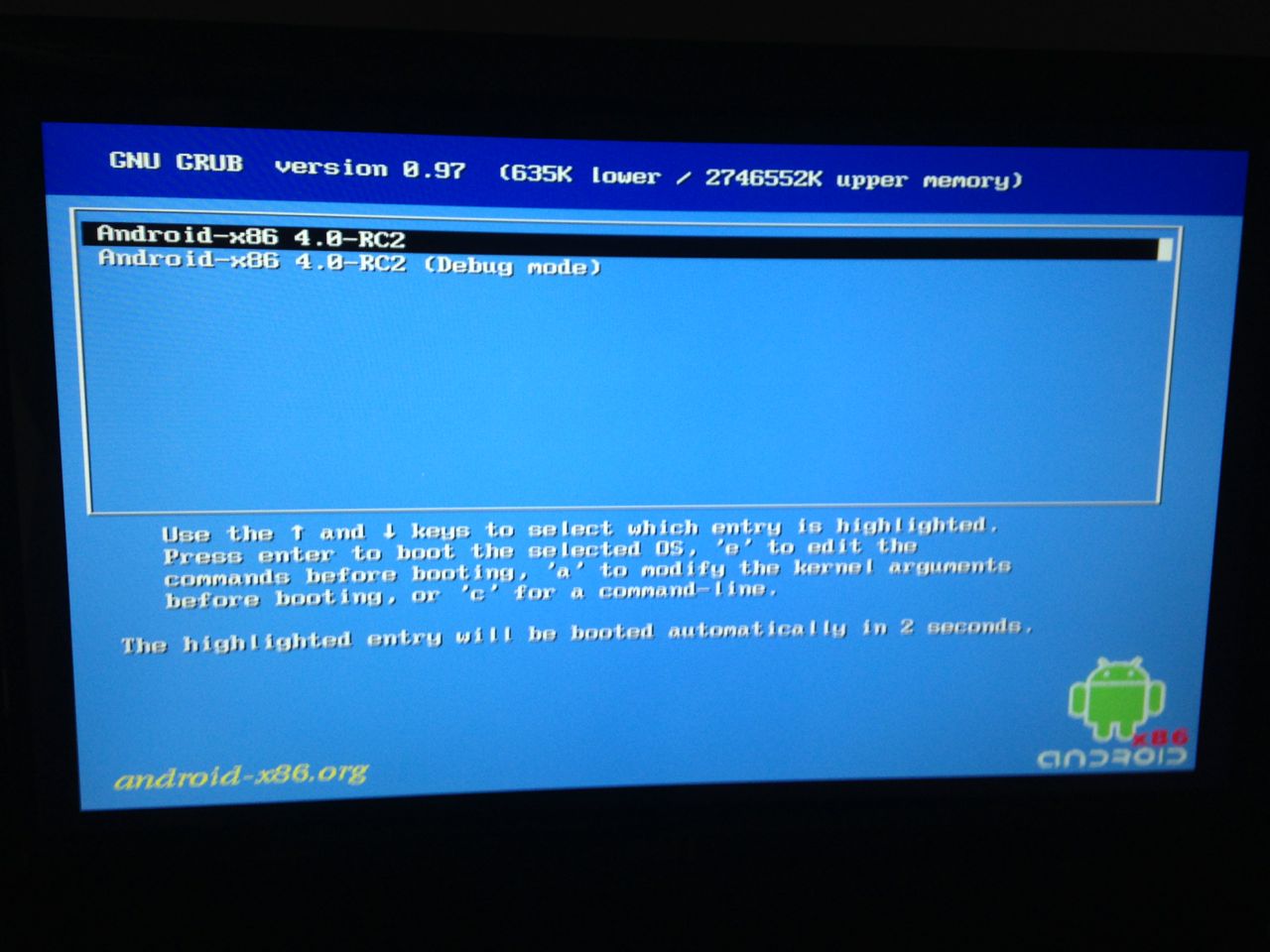
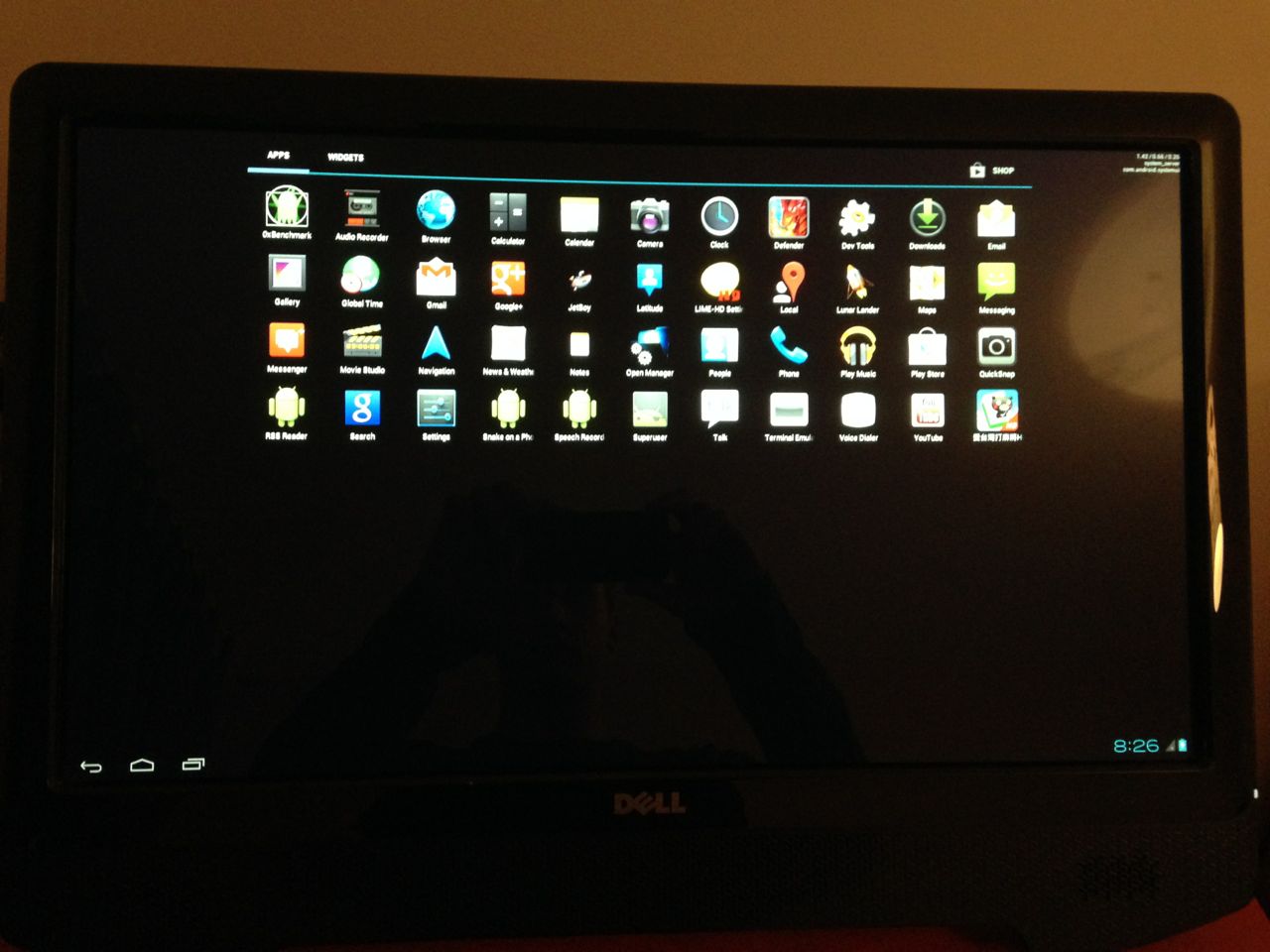
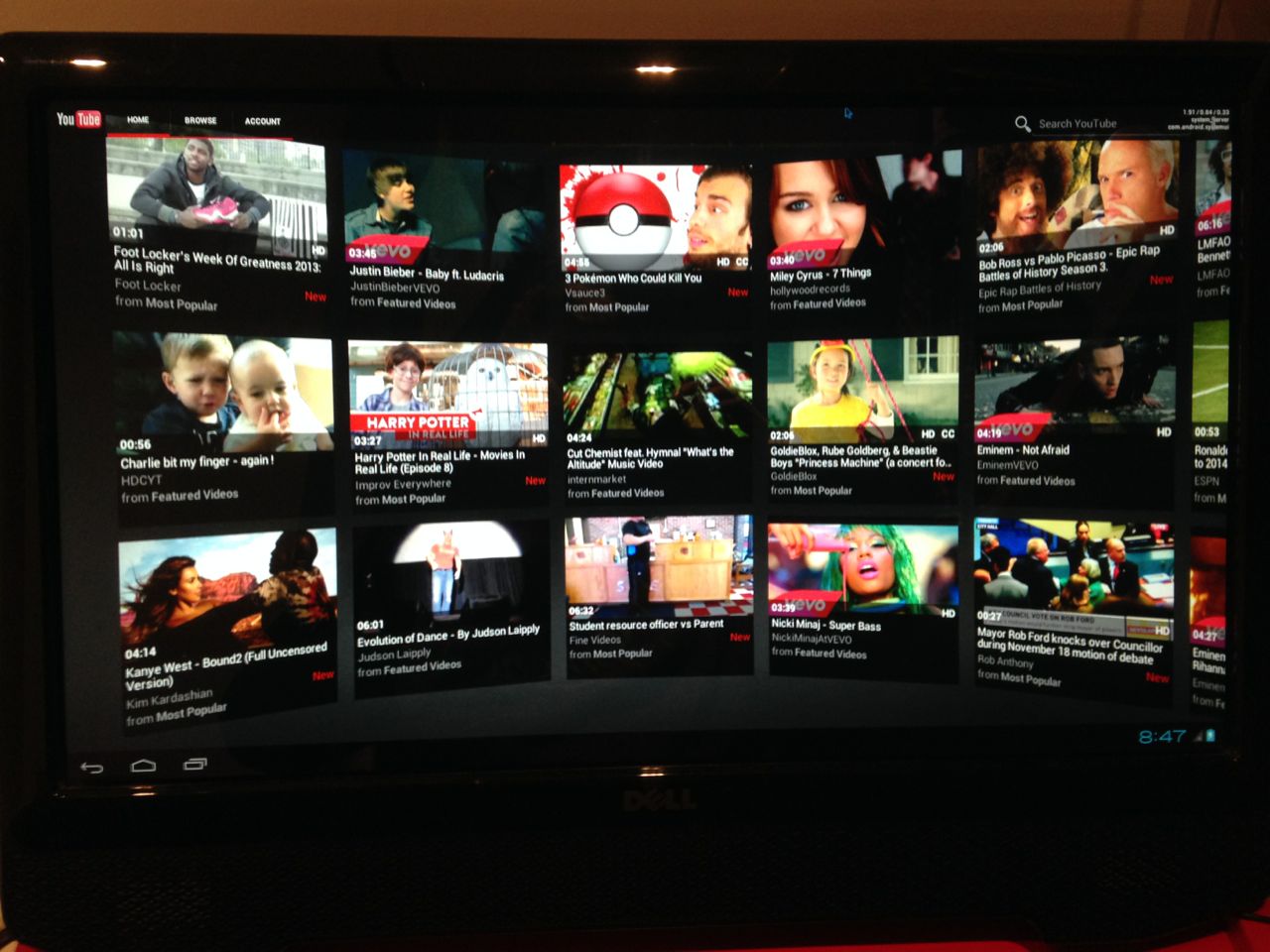
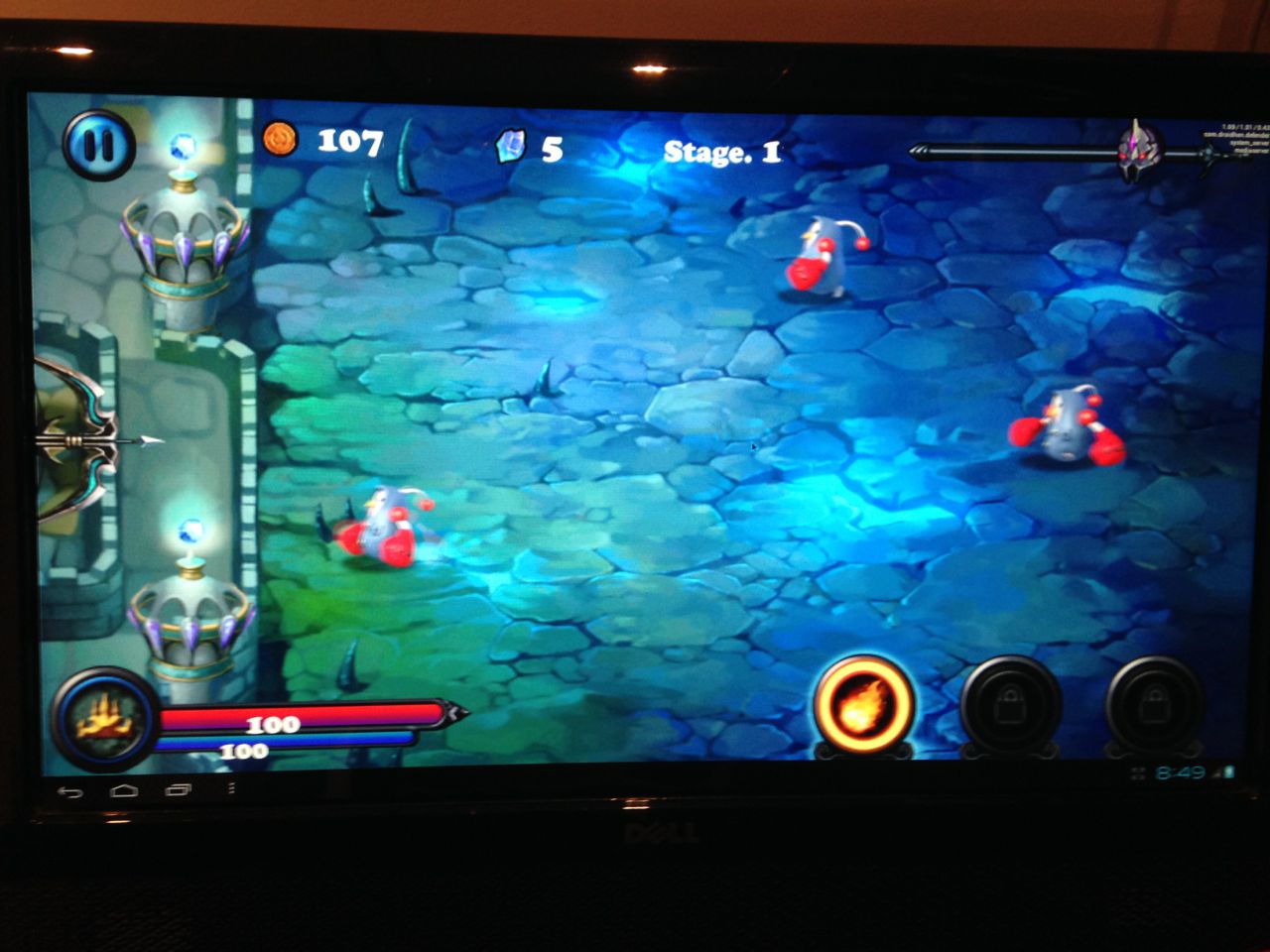
    <content type="html"><![CDATA[<p>A simple test run of Android x86 on a touch-enabled PC.</p><span id="more"></span><p><img src="/android-x86-test/02.jpg"></p><h2 id="Specs"><a href="#Specs" class="headerlink" title="Specs"></a>Specs</h2><p>Running <a href="http://www.android-x86.org/releases/releasenote-4-0-r1">Android-x86 4.0-r1</a> for AMD Brazos platform on the following hardware:</p><ul><li>ASUS E45M1-M PRO<ul><li>AMD E-450 @ 1650 MHz</li><li>ATI Radeon HD 6320</li></ul></li><li>2x4 GB DDR3 1600 MHz (PC-12800) RAM</li><li>Kingston V100 32 GB SATA II SSD</li><li>Dell ST2220T display with 1920x1080 touchscreen (two simultaneous touch points)</li></ul><h2 id="Installation"><a href="#Installation" class="headerlink" title="Installation"></a>Installation</h2><p>The setup is pretty straightforward.</p><p><img src="/android-x86-test/01.jpg" alt="Setup menu"></p><p>There were some issues with Wi-Fi, so I had to use a wired ethernet connection.</p><p><img src="/android-x86-test/03.jpg" alt="Main screen"></p><p>To enable the Internet, you need to go to console (<code>Alr+F1</code> to open console, <code>Alt+F7</code> to close) and  run the command:</p><pre><code>netcfg eth0 upnetcfg eth0 dhcpsetprop net.dns1 8.8.8.8</code></pre><p><img src="/android-x86-test/05.jpg" alt="YouTube"></p><h2 id="Tests"><a href="#Tests" class="headerlink" title="Tests"></a>Tests</h2><p>The performance is very good and you can even play games.</p><p><img src="/android-x86-test/07.jpg" alt="Games"></p><p>Touch input only supports a single point touch. I did not found a way to enable any gestures.</p><p><img src="/android-x86-test/04.jpg" alt="Google Maps"></p><p>I did run a few browser benchmarks with Google Chrome.</p><p><img src="/android-x86-test/10.jpg" alt="Acid3 Test"></p><p>The results are pretty high for a mobile platform.</p><p><img src="/android-x86-test/09.jpg" alt="Peacekeepr benchmark"></p><p><img src="/android-x86-test/11.jpg" alt="Browsermark"></p><p>In summary, this looks pretty promising and it could make a great alternative to Windows Embedded and Webconverger if the driver issues will be addressed.</p>]]></content>
    
    
    <summary type="html">&lt;p&gt;A simple test run of Android x86 on a touch-enabled PC.&lt;/p&gt;</summary>


  </entry>
  
</feed>